TIM.Click
Full-cycle enterprise BIM platform
Engineering data management environment for design and construction organizations. Model consolidation from any CAD system, clash detection, parameter audit, Scan-to-BIM deviation analysis, drawing generation and BI dashboard — all in the browser, no software installation. Deployed on client infrastructure. Built on the at3d engine.
Why TIM.Click
Everything in the browser, no software to install
Engineers don't need to install Revit, Navisworks, or other heavy applications to view models. All work — from IFC upload to clash detection and drawing generation — happens in the browser. On-premise deployment ensures data never leaves the organization perimeter.
18+ modules in a single platform
Composite models, clashes, parameter audit, Scan-to-BIM, version comparison, drawing generation, BI dashboard, issues, document management — all from one window. Replaces a bundle of 5–7 separate tools and reduces license costs.
Built on the at3d engine
The at3d graphics engine renders 1,000,000+ elements per scene. C++ service for clash detection and deviation analysis. IFC conversion to optimized ATM binary format. Point clouds via Potree LOD with no limits.
How It Looks
How It Works
Upload models
IFC files from Revit, AutoCAD, nanoCAD are converted to optimized format. LAS/LAZ/E57 point clouds are processed automatically.
Create a composite model
Add models from different disciplines — architecture, structural, HVAC, plumbing — into a unified scene. Configure visibility and coordinate systems.
Check quality
Run clash detection, parameter audit, or Scan-to-BIM deviation analysis. Assign responsible parties for issue resolution.
Generate documentation
Create drawings, export reports to BCF, Excel, or Navisworks XML. Monitor quality via the BI dashboard.
What TIM.Click Can Do
Composite Models
Merge models from different disciplines (AR, KR, HVAC, plumbing) into a single scene. Visibility, transparency, coordinate systems, and load order settings per component.
Clash Detection
Automatic intersection detection via C++ service. Hard, soft, clearance types. Configurable presets with tolerances and exclusions. Statuses, assignees, BCF & Navisworks XML export.
Parameter Audit
6 check types: required fields, exact values, regex, units, range, IFC type conformance. Customizable rule presets. Issue counts per element.
Scan-to-BIM
Compare as-built point clouds with BIM models. 3D deviation heatmaps. Zones by elements, IFC types, and spatial areas. Severity: acceptable, warning, critical.
Drawing Generation
Automatic floor plans, sections, elevations, and detail views from BIM models. Scale and format selection. DWG and PDF export. Real-time generation progress.
Version Comparison
Visualize changes between model versions: green — added, red — removed, blue — modified. Both versions loaded simultaneously. Comparison by geometry hash.
BI Dashboard
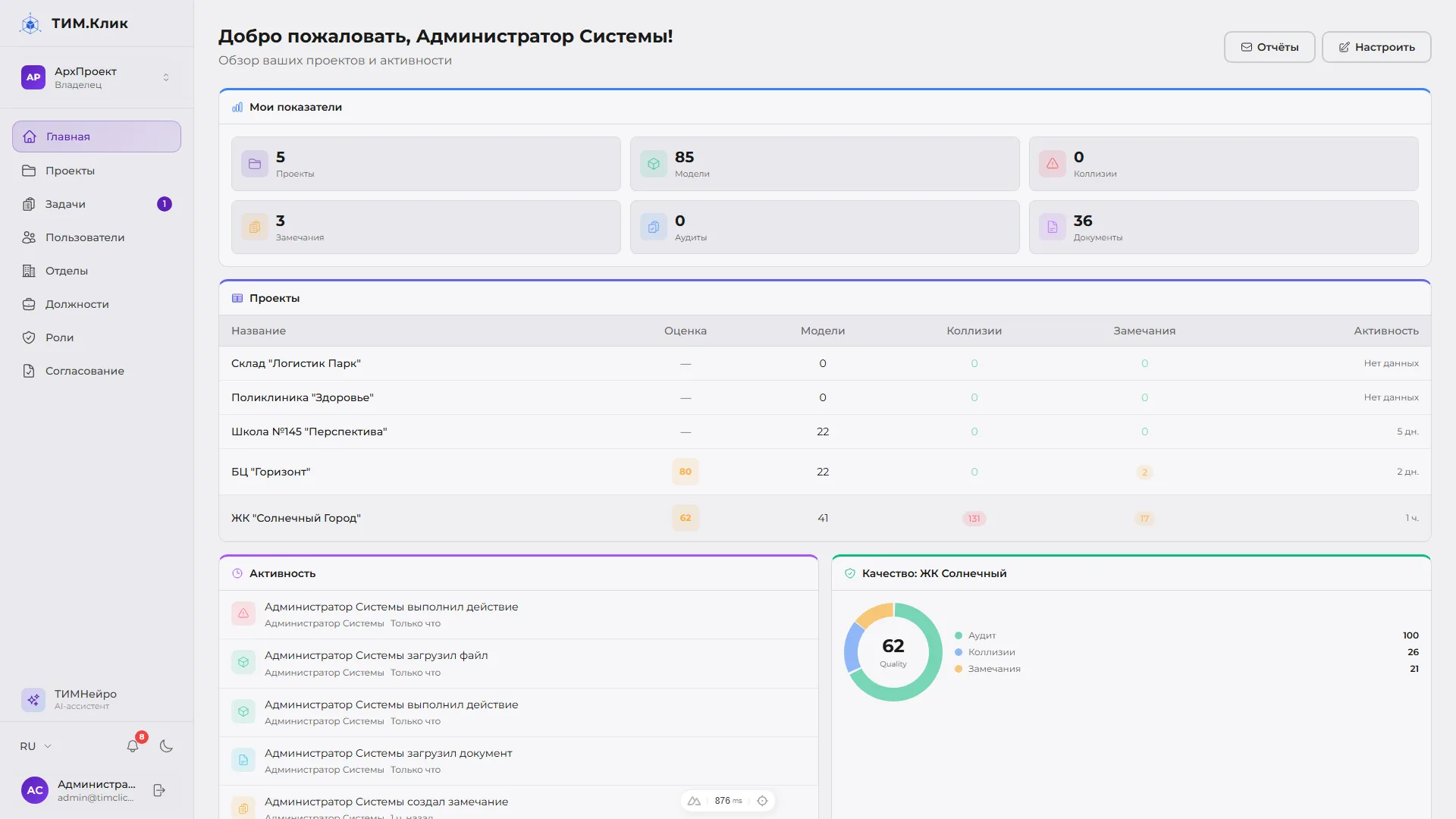
10 widget types: KPI, project tables, activity feed, Quality Score. Custom formulas from 27 variables. Scheduled email reports. Drag-and-drop configuration.
Issues & Documents
Create issues linked to 3D elements with screenshots and camera viewpoints. Document management with statuses. Drawing-to-BIM mark matching via fuzzy search.
Who Is TIM.Click For
Interested in TIM.Click?
Contact us to discuss implementation or collaboration